
A raw WHOIS record looks like a form printed by a machine from the 1980s, because that is what it is. Most of its lines can be ignored. This guide goes through a typical record from top to bottom and says which lines deserve your attention.
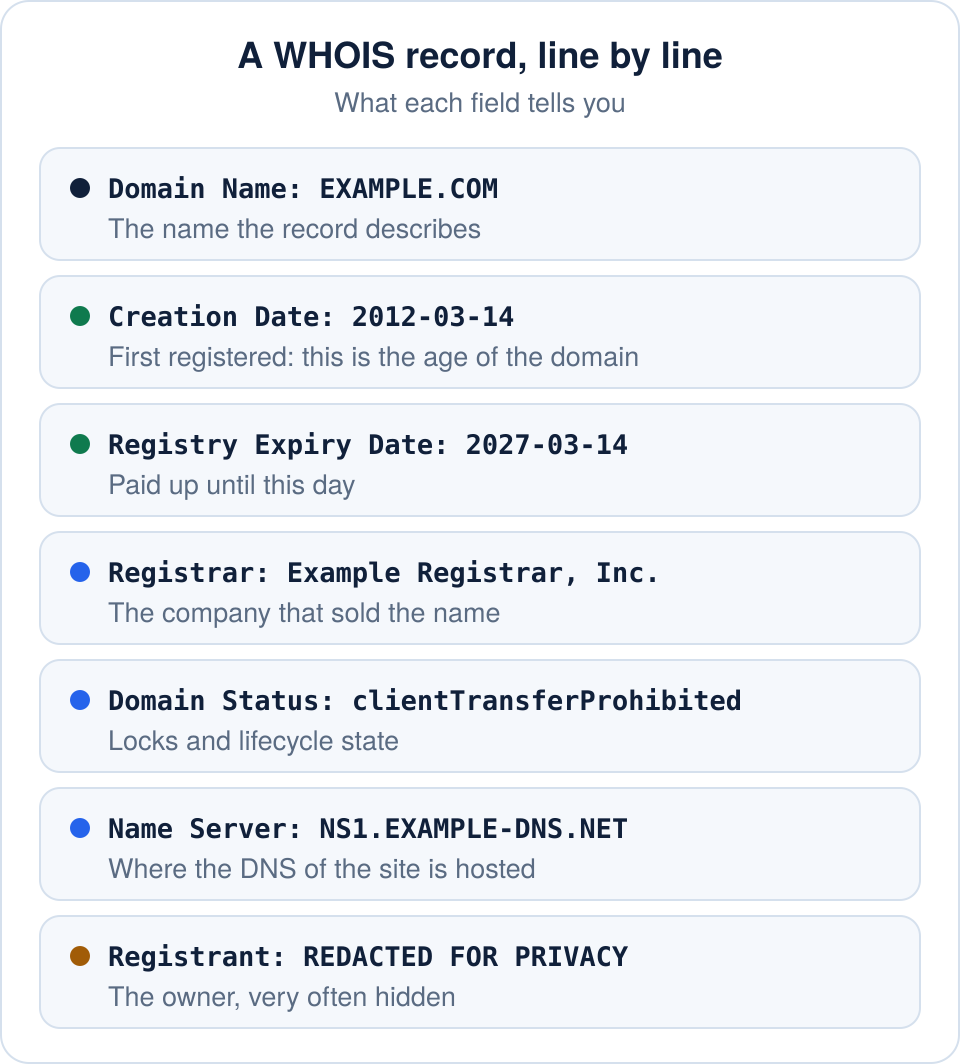
A typical record
This is what a registry returns for a .com domain. The values are invented, the layout is real.
Domain Name: EXAMPLE-SHOP.COM
Registry Domain ID: 1234567890_DOMAIN_COM-VRSN
Registrar WHOIS Server: whois.example-registrar.com
Registrar URL: http://www.example-registrar.com
Updated Date: 2026-02-11T09:12:44Z
Creation Date: 2012-03-14T04:00:00Z
Registry Expiry Date: 2027-03-14T04:00:00Z
Registrar: Example Registrar, Inc.
Registrar IANA ID: 9999
Registrar Abuse Contact Email: abuse@example-registrar.com
Domain Status: clientTransferProhibited
Name Server: NS1.EXAMPLE-DNS.NET
Name Server: NS2.EXAMPLE-DNS.NET
DNSSEC: unsigned
The three dates
Creation Date is the day the domain was first registered, and the single most useful line in the record. It is written by the registry and cannot be changed by the owner. A date from last month on a site that claims a long history is the clearest warning a record can give. One caveat: when a domain expires, is deleted and is registered again by someone else, the creation date starts over. And when a domain is sold without being deleted, the date stays the same although the owner is new.
Registry Expiry Date is the day the current paid period ends. It moves forward each time the owner renews. A date that has already passed means the domain is in the grace period described in what happens when a domain expires.
Updated Date is the last time the record itself changed: a renewal, a change of name servers, a transfer to another registrar. It says nothing about when the website was last edited.
Dates are usually written in the international format, year first, and in universal time. 2012-03-14T04:00:00Z is 14 March 2012 at 04:00 UTC. Some country registries use their own layout, such as 14-Mar-2012.
The registrar lines
Registrar is the company the domain was bought from. Registrar IANA ID is its accreditation number, which is useful when two companies have similar names. Registrar Abuse Contact is the address to write to when the domain is used for phishing, fraud or malware. If you only ever use one line of a record for something practical, it will probably be this one.
Registrar WHOIS Server matters for .com and .net. For these two extensions the registry keeps only the technical data and points to the registrar for the rest, so a complete lookup needs two queries: one to the registry, one to the registrar. CheckWhois follows that pointer for you and shows which servers answered.
Domain Status
One or more codes describing what can and cannot be done with the domain. clientTransferProhibited, the most common, is a lock against unauthorised transfers and a good sign. clientHold or serverHold mean the domain has been switched off. All the codes are explained in the status code reference.
Name servers
The DNS servers that say where the website and the email of the domain are hosted. They often reveal the hosting company or the content delivery network in use. Name servers on a large, well known provider prove nothing either way. Two name servers that have nothing to do with each other, or a record with none at all, suggest a domain that is parked or not really in use.
DNSSEC
Whether the DNS answers of the domain are cryptographically signed. signedDelegation is a small plus for technical seriousness. unsigned is the situation of most domains on the internet and is not a warning.
The registrant block
Name, organisation, street, city, country, phone and email of the owner, then often the same again for an administrative and a technical contact. In most records today these lines read REDACTED FOR PRIVACY or show the address of a privacy service. That is the normal result of data protection law, not an attempt to hide: see why WHOIS owner details are hidden. Two fields often survive: the organisation, when the owner is a company, and the country.
The small print at the bottom
Records end with a paragraph of legal terms from the registry: the data is provided for information, must not be used to send advertising, and may not be harvested in bulk. A line such as Last update of WHOIS database gives the time the registry generated the answer, not the time the domain was changed.
What to look at first
- The creation date: how old is this domain really?
- The expiry date: is it paid for a few weeks or a few years?
- The status: is the domain active, locked, or on hold?
- The registrar: a mainstream company, or one you can find nothing about?
Then stop. The rest is for engineers. If you would rather not read the raw text at all, a CheckWhois lookup extracts these lines and scores them.