
The "Domain Status" lines of a WHOIS record look like errors and are usually good news. They describe what may and may not be done to the domain, and where it is in its life.
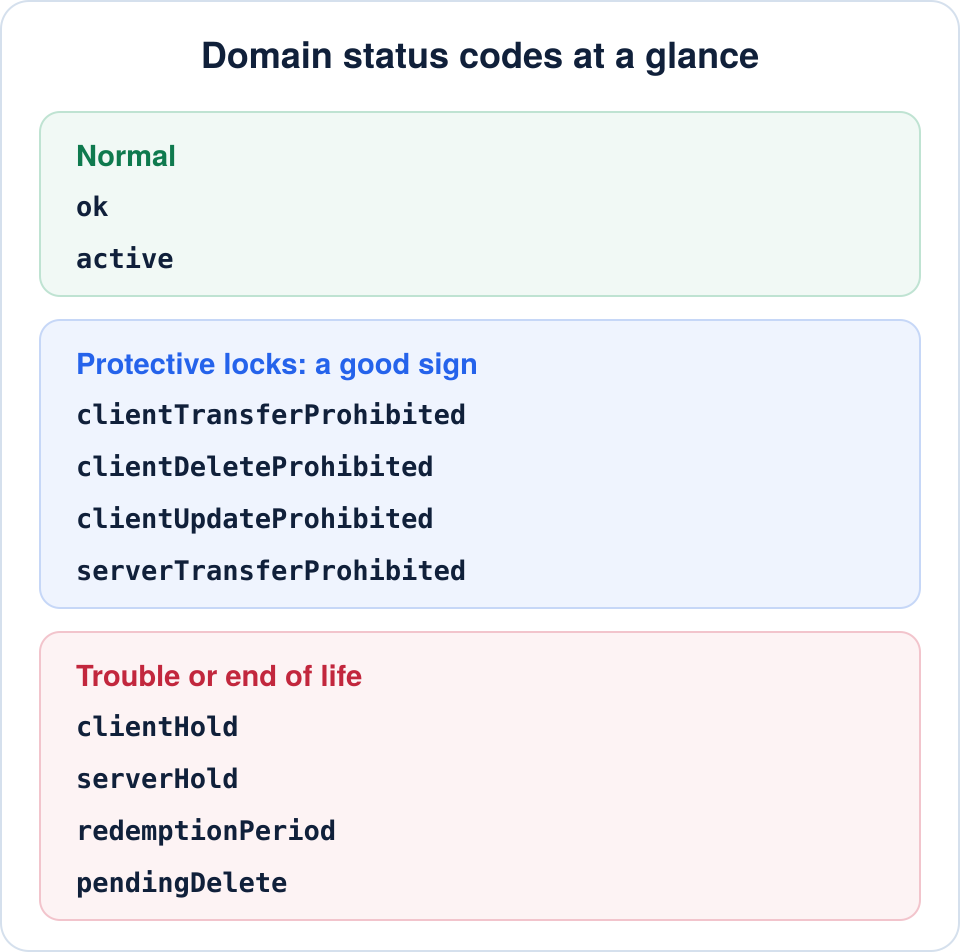
How to read a code
The codes come from EPP, the protocol registrars use to talk to registries, and their names follow a pattern.
- The prefix says who set it. client codes are set by the registrar, usually at the owner's request or by default. server codes are set by the registry and are harder to remove.
- The rest says what is blocked or what is in progress: Transfer, Update, Delete, Renew, Hold.
A domain can carry several codes at once. The full official list is published by ICANN.
Normal state
| Code | Meaning |
|---|---|
ok or active | The domain is registered and working, with no restriction and no operation pending. Perfectly fine, although it also means no lock is in place. |
inactive | The domain is registered but has no name servers, so it leads nowhere. Common for names bought and not yet used. |
Protective locks
These prevent changes, which is what the owner of a valuable name wants. Seeing them is a sign of normal or careful management.
| Code | Meaning |
|---|---|
clientTransferProhibited | The domain cannot be moved to another registrar until the owner unlocks it. Set by default at most registrars to prevent theft. By far the most common code. |
clientUpdateProhibited | The record, including the name servers, cannot be changed without unlocking first. |
clientDeleteProhibited | The domain cannot be deleted by mistake or by an intruder. |
clientRenewProhibited | The registrar will not renew the domain. Rare, and usually tied to a dispute. |
serverTransferProhibited, serverUpdateProhibited, serverDeleteProhibited | The same locks applied by the registry itself. Together they form a "registry lock", an extra service used by banks and large brands: changes require manual verification. They also appear temporarily during disputes. |
Operations in progress
| Code | Meaning |
|---|---|
addPeriod | The first days after registration, usually five. The domain is brand new. |
transferPeriod | The first days after a transfer to a new registrar. |
renewPeriod | The days following an explicit renewal. |
autoRenewPeriod | The registry has extended an expired domain automatically and is waiting for the registrar to confirm. The owner may not have paid yet. |
pendingTransfer | A transfer to another registrar has been requested and is awaiting approval. |
pendingCreate, pendingUpdate, pendingRenew | A request has been received and is being processed. |
Trouble and end of life
| Code | Meaning |
|---|---|
clientHold | The registrar has switched the domain off: it no longer resolves, so the website and email do not work. Typical causes are non-payment, unverified contact details, or suspension after an abuse report. |
serverHold | The registry has switched the domain off. Used for legal orders and serious abuse. |
redemptionPeriod | The domain has been deleted after expiry. The former owner has about 30 days to restore it, for a fee. |
pendingRestore | A restore from redemption has been requested and is being finalised. |
pendingDelete | The last stage, about five days. Nothing can be done, and the name will then be released. |
The stages after expiry are described in what happens when a domain expires.
What the codes say about a website
Reassuring: any of the Prohibited locks. A domain protected by server locks belongs to someone who paid extra to make it hard to steal.
Neutral: ok. Many small sites have no lock at all and nothing is wrong with them.
Worth a second look: addPeriod, which means the domain was registered within the last few days. Check the creation date.
Do not buy from it: clientHold, serverHold, redemptionPeriod or pendingDelete. Normally such a site is unreachable anyway. If a shop is somehow still taking orders on a domain in one of these states, it will not be there when your parcel fails to arrive.
If it is your own domain
Seeing clientTransferProhibited on your own name is expected and you should leave it on. You only need to remove it, from your registrar's control panel, when you want to move the domain to another registrar. If you see clientHold and did not expect it, contact your registrar at once: the usual cause is a verification email you did not answer or a failed payment.