
No. HTTPS means that nobody between you and the website can read what you send. It says nothing about who is at the other end. A scam site with a padlock is a scam site whose conversations with its victims are private.
What HTTPS does
When an address begins with https://, your browser and the website set up an encrypted connection before any page is sent. Three things follow.
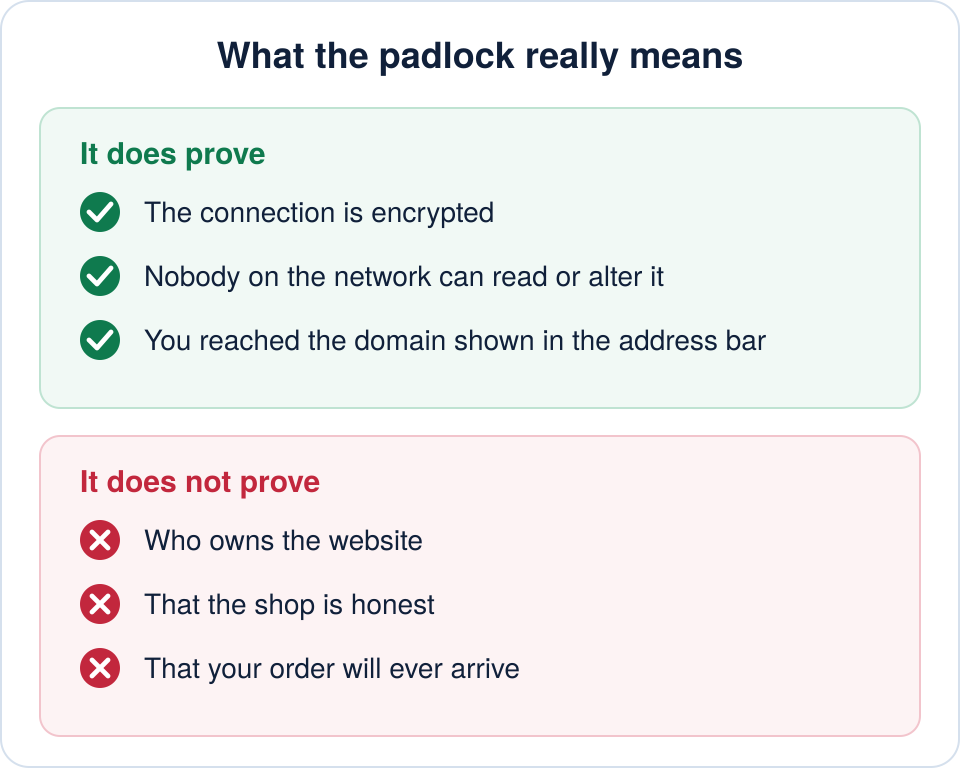
- Confidentiality. Someone on the same wifi network, or anywhere along the route, sees that you are talking to that website but not what you say: not your password, not your card number.
- Integrity. The pages cannot be altered on the way, for instance to insert adverts or malicious code.
- Authentication of the domain. The certificate proves that the server really is the one entitled to answer for the domain in the address bar, not an impostor that intercepted the connection.
These protections matter. A site that asks for a password or a card number without HTTPS should not be used at all.
What it does not do
Read the third point again: the certificate proves you have reached the domain in the address bar. If that domain is yourbank-secure-login.co, the certificate proves, truthfully, that you are connected to yourbank-secure-login.co. It does not say the domain belongs to your bank, because nobody checked.
Why every scam site has a padlock now
Until the mid 2010s a certificate cost money and took paperwork, so its presence said a little about the seriousness of a site. Then free, automated certificate authorities appeared, with the deliberate aim of encrypting the whole web. Getting a certificate now takes seconds, costs nothing and requires only proof that you control the domain. Most hosting companies switch it on by default.
This was the right decision for everyone's privacy. Its side effect is that the padlock stopped being a sign of anything except encryption. Browsers drew the same conclusion: they have progressively made the padlock less prominent and now warn about its absence instead of celebrating its presence.
Kinds of certificate
Domain validated certificates, by far the most common, verify control of the domain and nothing else. Organisation validated and extended validation certificates involve a check of the company behind the site, and its name is written inside the certificate. You can see it by clicking the icon at the left of the address bar and opening the certificate details. Browsers no longer display the company name in the address bar itself, so few people ever look, and a missing organisation name is not a warning: many large, legitimate sites use domain validated certificates.
When the certificate is a warning
The absence of problems proves little. The presence of problems does mean something.
- No HTTPS at all on a site that takes orders or logins. Either abandoned or careless, and unsafe in both cases.
- A browser warning page saying the connection is not private. The certificate has expired, was issued for a different name or comes from an unknown issuer. Do not click through on a site where you would enter anything.
- A certificate issued a few days ago on a site that claims a long history. On its own this is normal, since certificates are renewed every few months, but together with a domain created the same week it completes the picture.
How CheckWhois counts it
A valid certificate is worth 18 points out of 100 in the trust score: enough for its absence to hurt, not enough for its presence to reassure. A site with HTTPS, a week old domain and no legal pages still ends up with a low score, which is the intended result.
What to check instead
The question the padlock cannot answer is "whose site is this?". Three things can.
- The domain name itself, read carefully: how to read a link.
- The age of the domain, from a WHOIS lookup.
- The identity of the business, on the site and in a company register.
Treat HTTPS like a seat belt: you would not travel without it, and it tells you nothing about the driver.